What Is Claude Cowork? A Business Owner's Plain-English Tour
If you've only ever used the Claude chat box, you've met the smallest part of what Claude can do. Cowork is the desktop app that reads your files, uses your connected tools, and delivers finished work instead of advice. Here's exactly what it is and how it works.
 By Abi Odedeyi · CodeFreeIQ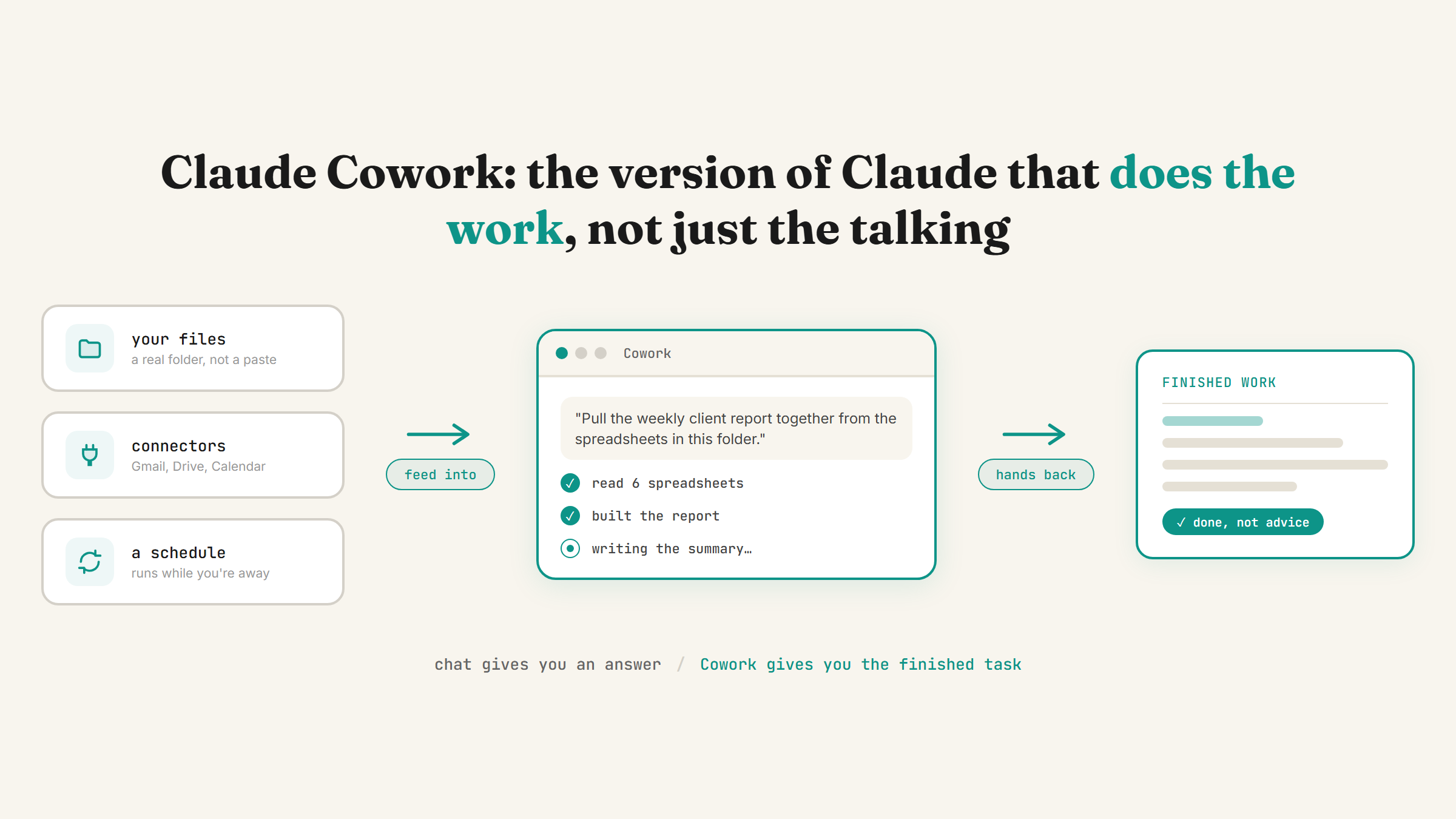
Most people's first and only experience of Claude is a chat box: you type a question, you get an answer, you go do the work yourself. Cowork is a different version of Claude entirely. It's a desktop app that reads your actual files, uses the tools you've already connected, and hands back finished work instead of a suggestion. If you've never opened it, you've been using a fraction of what you're paying for.
Cowork in one sentence
Cowork is the desktop app version of Claude that does real work on your files and tools, instead of just talking about them. Point it at a folder or describe a task, and it reads what's there, makes changes, and shows you what it did when it's finished, the same way a capable coworker would report back rather than just offering an opinion.
It sits between the plain chat box and the more hands-on, developer-facing side of Claude. I laid out how all three levels fit together in Claude Chat vs Cowork vs Code if you want the full picture. This post stays focused on the middle one, because for most non-technical business owners, it's the one worth understanding properly.
What actually makes it different from chat
The chat box answers questions. Cowork does the task. Ask Chat "how should I organise my invoices folder" and you get advice you then have to carry out yourself. Point Cowork at that same folder and ask it to sort the invoices, and it opens the files, reads them, renames and organises them, then tells you what it changed.
That distinction, doing the work versus describing the work, is the entire point of Cowork. Two things make it possible:
File system access. Open Claude Desktop, click the Cowork tab, point it at a folder on your computer, and give it a task in plain English. It reads, writes, renames and organises the real files in that folder, not a copy you paste in.
Connectors. Cowork can also reach the tools you already use: Gmail, Google Drive, Calendar, Notion, Slack and dozens more, once you switch each one on. That means it can answer something like "which emails from this week still need a reply" by actually checking your inbox, not by guessing. I covered how to turn these on in Claude connectors: plug Claude into your Gmail and Calendar.
What a first task with Cowork actually looks like
Say a fictional bookkeeping firm, Thistle & Co, wants its weekly client status report pulled together instead of built by hand every Friday. The owner opens Cowork, points it at the shared Drive folder holding client spreadsheets, and describes the report: which clients, which numbers, what format. Cowork reads the spreadsheets, builds the report, and delivers it, showing exactly which files it opened along the way so nothing feels like a black box.
That same pattern, point it at real files or connected tools, describe the outcome, get finished work back, is the shape of nearly everything worth doing in Cowork. It's not about one clever trick, it's about handing over the same task every time and trusting it gets done the same way.
Sub-agents: how it handles bigger jobs
For anything too big for one pass, Cowork can split a task into smaller pieces and work through them at once, showing each one running in a progress panel rather than one long silent wait. A research task that needs to check five different sources, for example, can run those five checks in parallel instead of one after another. You watch it work instead of just waiting for a finished answer to appear.
Scheduled tasks: when you stop starting it by hand
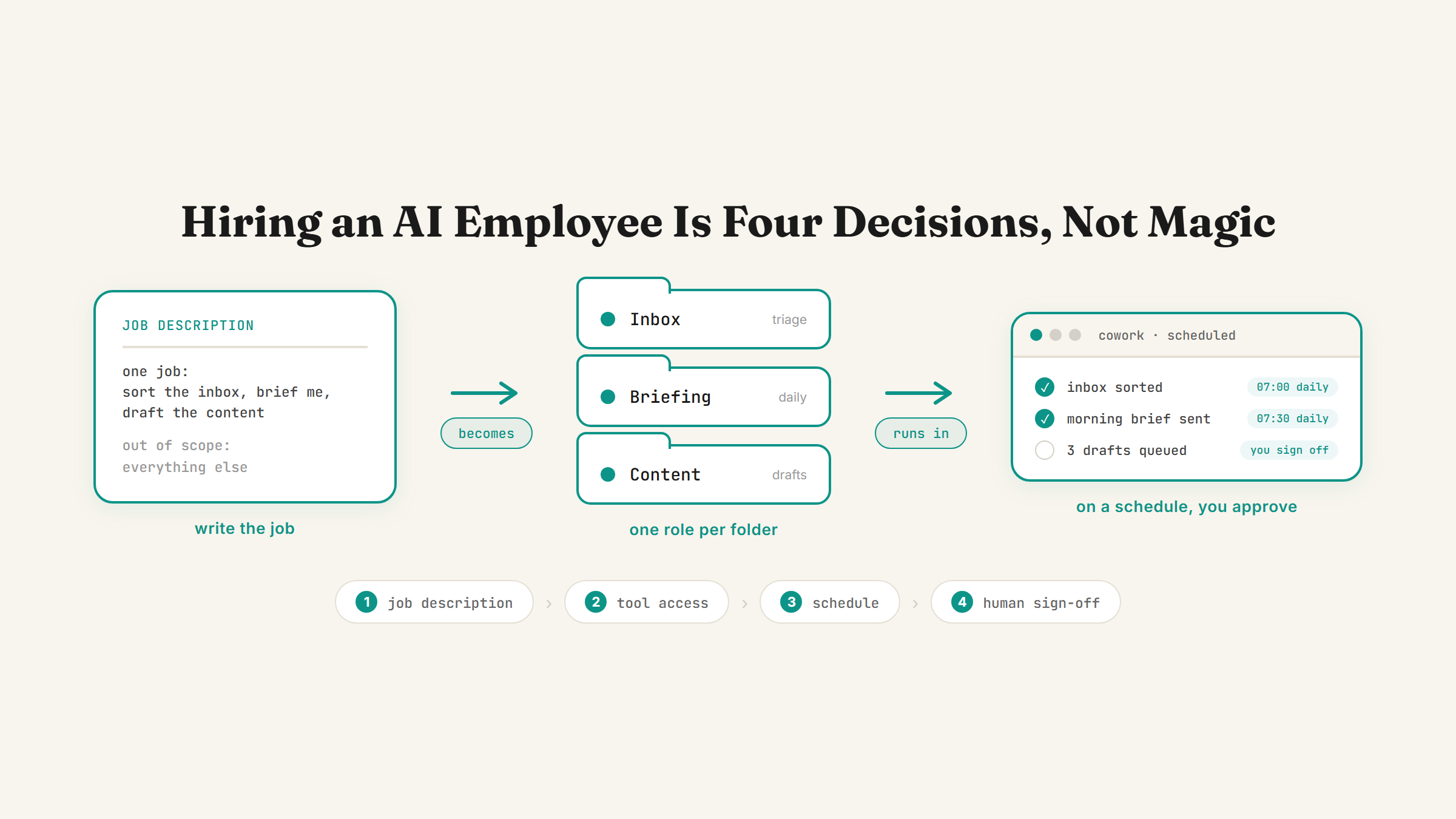
Everything above still needs someone to press go. Scheduled tasks remove that step. Inside a Cowork task, typing /schedule turns what you just described into something that runs on its own, on a cadence you set, daily, weekly, or a custom interval, without you opening the app again. It runs remotely too, so your laptop can be off and the task still fires on time.
I went deeper on exactly how this works in recurring tasks in Claude Cowork. Scheduled tasks are included on every paid Cowork plan (Pro, Max, Team, Enterprise), not gated behind the priciest tier.
Working with it from your phone
Cowork doesn't require you to sit at your desk waiting. Dispatch is a standing conversation inside Cowork that you can message from your phone once it's paired with Claude Desktop. Send it a task the way you'd text a colleague, and it works out how to handle it, then sends a push notification when it's finished or needs your approval on something. I covered the setup and its one real limitation (a Pro or Max plan, not available on Team or Enterprise) in control your computer from your phone.
What Cowork isn't
Worth being honest about the edges. Cowork isn't a fully autonomous employee that decides what to do next on its own, it works from tasks you describe or schedule. And it isn't the more hands-on, code-and-terminal version of Claude built for shipping software changes directly, that's Claude Code, a different tool for a different kind of user. Cowork is the middle ground: real work, on real files and tools, without needing to touch code.
Getting started without overwhelming yourself
Don't point Cowork at your whole business on day one. Pick one task you already do the same way, on a predictable cadence, something with a clear folder or a specific tool it touches. Watch it complete that one task properly a few times before you hand over a second. If you're not sure which task in your week is actually worth that first attempt, running a free AI time audit of your week is the fastest way to find it.
FAQ
What is Claude Cowork?
Cowork is the desktop app version of Claude built to do real work rather than just answer questions. Point it at a folder or a connected tool and describe a task, and it reads your actual files or app data, makes the changes or produces the output, and reports back what it did, instead of giving you advice to carry out yourself.
Is Cowork different from the normal Claude chat box?
Yes. The chat box (Claude Chat) answers questions in a conversation and you act on the answer yourself. Cowork reads and changes your real files and connected tools directly. Same underlying Claude, very different amount of doing versus advising. Claude Chat vs Cowork vs Code covers the full comparison, including the more hands-on Code level above Cowork.
Do I need to know how to code to use Cowork?
No. Cowork is built for plain-English instructions and simple menus, no terminal or programming knowledge needed. That's the main reason it's the level most non-technical business owners should aim to live in day to day.
What's a good first task to try in Cowork?
Something you already do the same way, on a predictable cadence, that touches one clear folder or one connected tool, a weekly report from a spreadsheet, or sorting a shared Drive folder, are both good starting points. Get comfortable with one task before scheduling it or adding a second. The nine settings that turn Claude into your team is worth checking too, since Cowork works far better once memory and connectors are set up properly first.
Once you've tried a first task in Cowork and it's gone well, the next real upgrade is not having to start it yourself at all. Book a strategy call and we'll find the task in your week worth handing over first.
Want Cowork set up properly around your actual business?
Book a strategy call and I'll help you pick the first real task worth handing to Cowork, then set it up live.
Book a strategy call →One working AI system in your inbox, weekly
The Operator's AI: the email edition of everything I publish here, plus the Free AI Bundle the moment you join.
Subscribe free →