How to Use AI in Your Consulting Practice (From Someone Who Builds It for Clients)
Every consultant I train asks the same question eventually, where does AI actually fit in my practice, not in theory, but in the work I do every day. Here's the honest breakdown of what I hand off, what I still do myself, and why.
 By Abi Odedeyi · CodeFreeIQ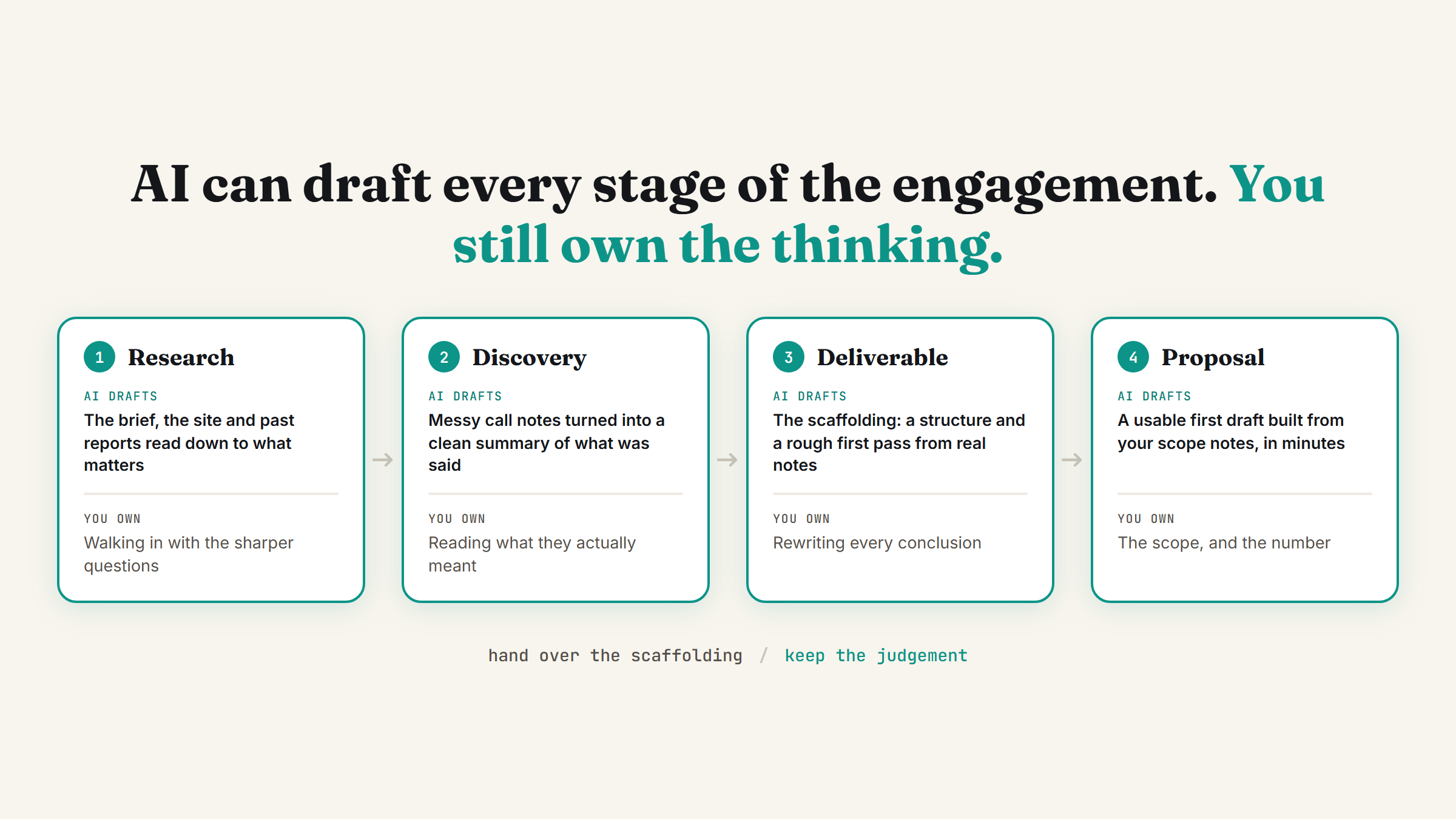
A lot of what gets written about "AI for consultants" is either abstract (frameworks, theory, predictions about the profession) or a vendor trying to sell you a platform. Neither one tells you what to actually do on a Tuesday. I train consultants on this for a living, so here's the practical version: where AI genuinely earns its place in a consulting practice, and where I still do the work myself.
Start with the shape of consulting work, not the tool
Consulting is mostly three things: understanding a client's situation, producing a deliverable that reflects that understanding, and communicating it clearly. None of those three are single tasks, they're each made up of a dozen smaller ones, and that's exactly where AI fits. It's rarely one big "AI does my consulting" moment. It's a lot of small, boring pieces of each stage getting faster.
That's also why "automate your consulting practice" is the wrong frame from the start. The better question, the one I actually work through with clients, is which specific piece of research, drafting or admin is eating hours it shouldn't. If you're not sure where that is in your own week, running a free AI time audit is the fastest way to find out before you touch any tool.
Client research and discovery
Before a first call, I want to walk in already knowing the shape of the problem. That means reading through whatever the client has already sent (a brief, a website, past reports), pulling out what's relevant, and going in with sharper questions instead of generic ones. This is one of the clearest wins: feeding real documents to Claude and asking it to summarise, flag gaps, or draft a discovery question list saves the better part of an hour before every single engagement, and the output is only as good as what you feed it, so the research still has to be real.
During discovery itself, note-taking is the other quiet time sink. Turning a messy set of call notes into a clean summary of what the client actually said, not what you assume they meant, is exactly the kind of task that's repetitive, high-volume across a client roster, and doesn't need your personal judgement to execute well. Those are the three questions I use to decide what's worth automating at all, and I wrote the full framework in what to automate first.
Turning notes into a first draft of the deliverable
This is where most consultants either save the most time or lose the most trust, depending on how it's done. AI is genuinely good at turning structured notes into a first-pass draft: a report skeleton, a section of findings, an initial set of recommendations organised under the right headings. It's much weaker at anything that requires actual judgement about this specific client's situation, which is precisely the part a client is paying you for.
The rule I give clients is simple: let AI build the scaffolding, you build the judgement. Ask it to draft the structure and a rough first pass of the writing from your real notes, then you go through and rewrite every conclusion yourself. If a paragraph could apply to any client in your niche, that's the sign AI wrote the thinking, not just the words, and it needs your input before it goes anywhere near a client's inbox.
Proposals without starting from a blank page
Proposal writing is one of the most repetitive parts of running a consulting practice, and one of the easiest to hand off the first draft of. Feed it your scope notes from the discovery call, your standard pricing structure, and a past proposal or two as a style reference, and you get a genuinely usable first draft back in minutes instead of the hour or two a blank document usually costs you. You still read every line, adjust the scope to fit this specific client, and sign off on the number yourself, but you're editing instead of starting cold.
If you haven't set up the basics that make this kind of handoff reliable (connectors to your actual files, a place for AI to draft from your real documents rather than guessing), the nine settings that turn Claude into your team is the right starting point before any of the above will work well.
What I don't hand off
Anything that requires my actual judgement about this client, in this situation, stays with me. That's the strategic recommendation itself, the uncomfortable conversation about scope creep, the read on whether a client relationship needs repairing. AI can help me think through options faster, the way a sharp colleague would, but the call is still mine, and I say so to every client I train on this. I wrote more on why I actually want AI pushing back rather than just agreeing with my first draft in get AI to push back on your ideas, which matters even more once you're handing off real client work.
Anything client-facing goes through a human checkpoint before it's sent. A draft proposal, a report section, a follow-up email, all get read and approved by a person, which in most of my setups just means me, before a client ever sees them. That's not a limitation I'm working around, it's the actual design. I go deeper on why that checkpoint matters for any AI handling real work in how to hire an AI employee.
Where to start if you're doing none of this yet
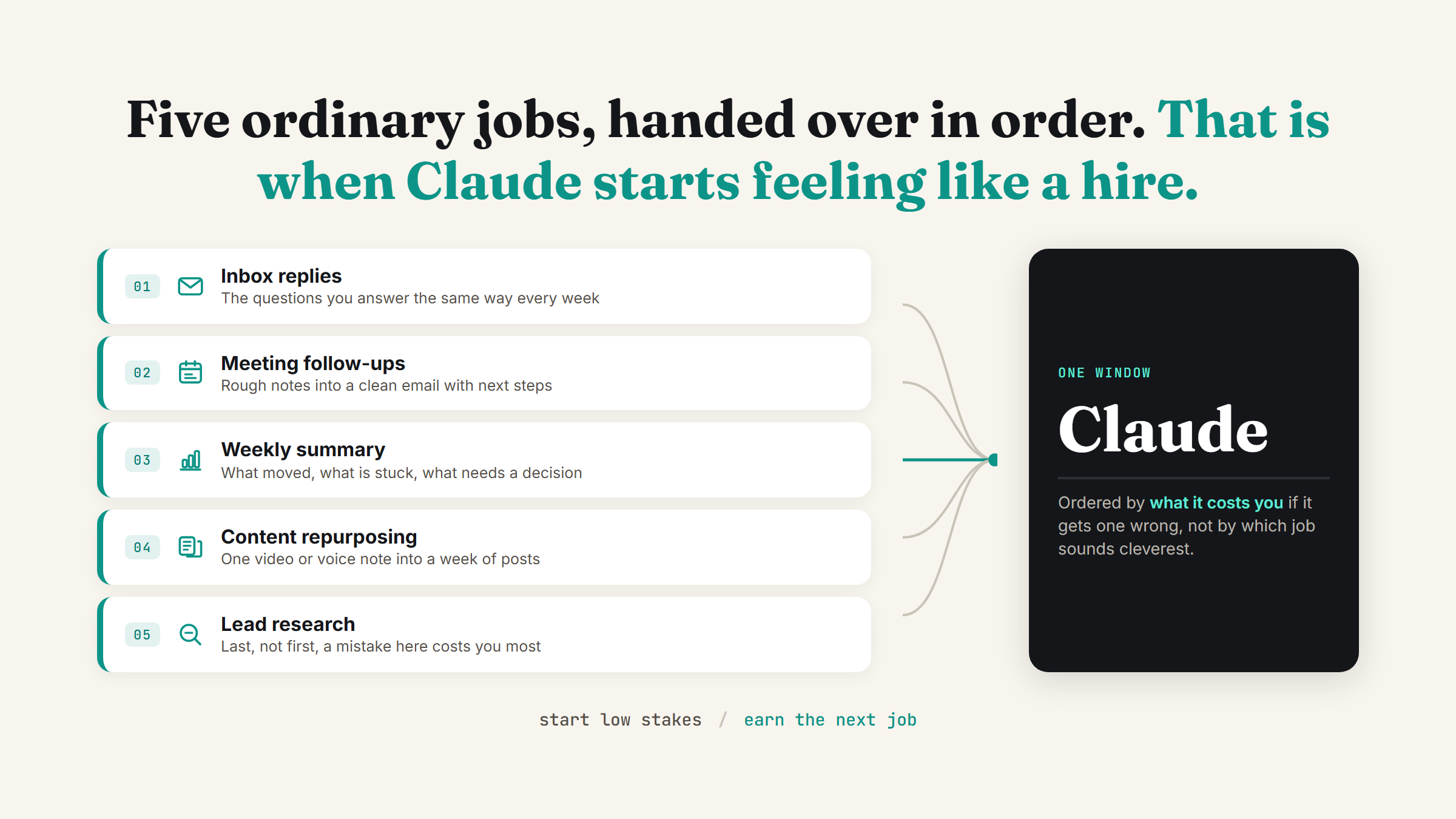
Don't try to rebuild your whole practice in a weekend. Pick the one piece that's most repetitive and least dependent on your specific judgement, usually either call-note summarising or the first draft of a proposal, and set that up properly first. Once it's reliable for a few weeks, add the next piece. If you want to see what a working example looks like in practice rather than in theory, building a live business tool by describing it shows the same "describe it, get a working version back" pattern applied to a different kind of deliverable.
FAQ
Will AI replace consultants?
Not the judgement part, no. AI is genuinely good at research summaries, first-draft structure, and repetitive admin like proposal drafts, but the actual recommendation, the read on a client's real situation, and the uncomfortable conversations still need a person. What it replaces is the hours spent on the parts of the job that were never really the consulting anyway. I went through the full split of what moves and what stays in will AI replace consultants.
What should a consultant automate first?
Whatever is repetitive, happens across most of your clients, and doesn't require fresh judgement each time. For most consulting practices that's turning call notes into a clean summary or drafting the first pass of a proposal from your scope notes. Both save real time without touching the part of the job clients are actually paying for.
Is it safe to use AI on client work?
Only if you're careful about what you feed into it and where the output goes. Anonymise anything sensitive before it goes into a prompt, and keep a human review step before anything client-facing goes out. I wrote the full approach to this in use AI on client work without leaking data, which is worth reading before you put any real client documents into a chat.
Do I need to learn to code to set this up?
No. Everything described here, research summaries, drafting from notes, proposal generation, runs through plain-English requests and connecting AI to the files and tools you already use. What is Claude AI walks through the full path from a basic chat box to something that actually does this kind of work, without writing a line of code.
If one part of this sounds like exactly the piece of your week you keep putting off, that's usually the one worth setting up first. Book a strategy call and I'll help you find it.
Want this set up properly in your own practice?
Book a strategy call and I'll walk through your actual workweek and show you exactly where AI earns its place, and where it doesn't.
Book a strategy call →One working AI system in your inbox, weekly
The Operator's AI: the email edition of everything I publish here, plus the Free AI Bundle the moment you join.
Subscribe free →